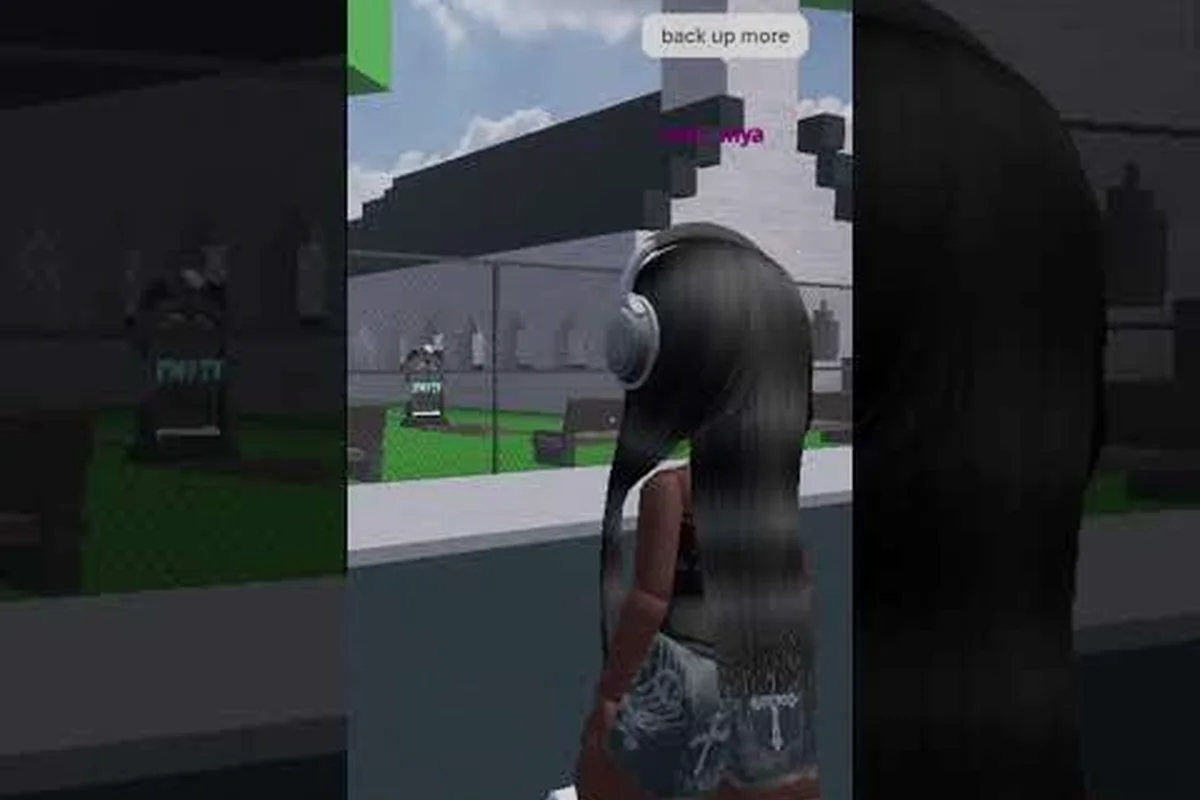
Every Baddies brawl lives or dies in the first two seconds of a chase, and that window is controlled by inputs, not weapons. According to the astriiella~'s Baddies footage, fights resolve through timing rather than raw stats, so the player who knows every Baddies control — sprint, dodge, equip, attack, block, stomp — wins the same duel the other player loses. This Baddies controls guide breaks down each keybind, explains the blue charge bar loop that turns a tap into a finisher, and maps the exact input sequence for surviving your first 1v1, so you stop guessing and start dictating the pace of the fight.
Core Baddies Controls and Default Keybinds
Baddies uses a stripped-down control scheme that mirrors Roblox default bindings, which means anyone who already plays the platform can jump into a fight without rebinding anything. The game shipped with weekend patches since its October 2022 launch, and the team has kept the core inputs stable. Knowing the layout cold is the first step toward being able to react when a rival closes distance at sprint speed.
| Action | Default Key | When to Use It |
|---|---|---|
| Move | W / A / S / D | Always — base locomotion |
| Sprint | Left Shift | Chasing a fleeing rival or running from a 1v1 you cannot win |
| Jump | Space | Dodging low swings, climbing onto a crate for height |
| Equip / Unequip Fists | 1 (number row) | Pulls fists out of the inventory; required before landing hits |
| Light Attack | Left Mouse Button | Building the blue charge bar with quick taps |
| Block | Right Mouse Button | Holding against incoming strikes, stalling for stamina |
| Hair Pull (charge finisher) | E (when bar is full) | Pulls a downed rival toward you; spends the entire blue bar |
| Stomp (on knocked rival) | Left Mouse Button (over body) | Finishes a knocked opponent and ends the fight |
| Open Backpack | B or Tab | Swapping to a backup weapon if fists break |
Movement Inputs: Walking, Sprinting, and Stamina
Walking and sprinting use the same W / A / S / D base, but Left Shift is the toggle that turns slow jogging into chase-mode running. Sprint is the single most important input in the Baddies controls guide because the map is full of corners where a chasing player needs to close a 12-stud gap in under a second. Sprint also burns stamina, so tapping it for short bursts and releasing to recover is the rhythm that most community videos demonstrate on YouTube.
Stamina regeneration in Baddies is passive while walking and faster while standing still, so a player who spams Shift into a wall burns out and cannot block the retaliation. Run in straight lines, release Shift before sharp turns, and never start a sprint unless you already know the next two seconds of your path.
Combat Inputs: Fists, Block, and the Blue Charge Bar
The fists tool is the default weapon in Baddies, and equipping it is the prerequisite for every offensive action. Press 1 on the number row to pull the fists out of the inventory, then begin tapping Left Mouse Button to throw light attacks. Each landed hit fills the blue charge bar at the bottom of the screen, and once the bar reaches full, the player gains access to the hair pull finisher on E.
The blue charge bar is the engine of every Baddies fight: it rewards consistency over burst, which is why players who spam wildly never build enough charge to finish. Tap twice, pause a half-second to confirm the second hit landed, then tap again. After four or five clean hits the bar fills, and pressing E yanks the rival toward you so a stomp can end the round.
Baddies How to Run Fast and Control Distance
Baddies how to run fast is the second-most-asked beginner question after how to equip fists, and the answer is simpler than most players expect. Sprint speed is bound to Left Shift, but the effective top speed comes from the way the camera angle and the run animation stack. Looking forward with the camera and tapping Shift produces a noticeably faster effective speed than turning the camera sideways to peek behind you, because Baddies throttles movement when the camera is rotated more than 90 degrees from the facing direction.
| Sprint Scenario | Recommended Input Pattern | Common Mistake |
|---|---|---|
| Chasing a fleeing rival | Hold Shift, W, keep camera forward | Looking back to see how close you are — slows the chase |
| Fleeing an unwinnable 1v1 | Hold Shift, S, jump into a corner to break line of sight | Sprinting in a straight line across the open plaza |
| Closing the last 3 studs to land a hit | Tap Shift for a half-second, release, then Left Mouse Button | Holding Shift through the swing, which cancels the attack |
| Re-positioning mid-fight | Release Shift, walk for one second, then re-engage | Sprinting in a circle while getting hit in the back |
Sprint Stamina Economy
Stamina is the hidden currency behind every Baddies sprint, and the bar drains while Shift is held. The bar refills while walking and refills faster while standing still, so a player who holds Shift through a 5-second chase will arrive on target with no stamina to block the counter-attack. Community videos on YouTube consistently show experienced players tapping Shift for 1-2 second bursts, releasing to refill, then re-engaging, and that rhythm is the actual answer to running fast in Baddies without being punished for it.
Baddies How to Fight and Chain Combos
Baddies how to fight comes down to a three-step loop: equip, build, spend. The fists tool is equipped with the 1 key, the blue charge bar fills with landed Left Mouse Button taps, and the bar is spent on a hair pull via E to set up a stomp. The combo is the same whether the player is using starter fists, a purchased weapon, or a limited tryhard drop — the input sequence is universal.
| Combo Step | Input | Purpose |
|---|---|---|
| 1. Equip | Press 1 | Pulls fists from inventory; required before any swing |
| 2. Approach | Hold W, optional Shift for closing distance | Get within Left Mouse Button reach (~3 studs) |
| 3. Light Attack Tap | Left Mouse Button × 4-5 | Each landed hit fills the blue charge bar |
| 4. Hair Pull | Press E when bar is full | Pulls rival toward you and knocks them down |
| 5. Stomp | Left Mouse Button over the body | Finishes the knocked rival and ends the fight |
Gauging When Your Bar Is Ready
The blue charge bar lives directly under the stamina bar, and it only fills when a hit actually lands. Whiffed swings and blocked attacks do not contribute, which is why chasing a sprinting rival through three swings is wasted input. Walk the rival into a corner, swing twice, confirm both hits connect, then swing again — the bar fills in roughly four to five clean hits depending on the weapon's damage stat. The 1v1 tactics in our Baddies 1v1 tips breakdown cover the corner-pinning technique in more detail, and the movement patterns complement this guide's input layer.
Block and Counter
Right Mouse Button is the block input, and it functions as a parry window rather than a permanent shield. Hold block while the rival is mid-swing, then release and tap Left Mouse Button during the recovery window for a free hit. The block window is short, so mashing Right Mouse Button the entire fight leaves no stamina to attack, and the rival can simply walk around the block angle. The combat logic in Baddies how to become pro extends these block windows with positioning, which is the natural next read after the inputs here are memorized.
Baddies How to Win Fights and Survive Longer
Baddies how to win fights is the macro question that the control inputs are designed to answer, and the win condition is binary: knock the rival down and stomp them. The hair pull on E and the stomp on Left Mouse Button are the only two finishers in the game, so the entire match resolves around getting the rival into a state where both finishers are available in sequence. Winning also requires surviving long enough to land the combo, which is where sprint, block, and corner-pinning all converge.
| Survival Lever | Input | When to Use It |
|---|---|---|
| Sprint away | Hold Left Shift + S | When the rival has more charge than you and you cannot block |
| Block to stall | Hold Right Mouse Button | When stamina is high and the rival is mid-combo |
| Jump to dodge | Press Space | When a rival telegraphs a wide swing; jumping the swing dodges it |
| Corner-pin | Walk the rival into a wall | Forces the rival into one attack angle so your blocks always land |
| Reset the fight | Release all keys, walk backward | When both players are at low stamina; regen, then re-engage |
Map Awareness and Corner-Pinning
The Baddies map is built out of plazas, alleyways, and rooftops, and the alleys are the highest-percentage fight locations for players who know the controls. A rival who is cornered can only attack from the front, so the block input covers the entire threat surface and the player can spam Left Mouse Button without being hit in the back. The Baddies 1v1 guide maps the best alley positions, and pairing those positions with the input rhythm from this controls guide produces the cleanest fight wins.
Stomp Timing
The stomp on Left Mouse Button only works when the rival is knocked down, and the knockdown window is short — roughly one second after a hair pull lands. Pressing Left Mouse Button too early hits the air, and pressing it too late lets the rival stand back up and counter. The community-reported timing is to press E for the hair pull, then immediately tap Left Mouse Button as the rival's body hits the ground, which produces a clean stomp and a confirmed elimination.
Baddies How to Survive Your First Ten Fights
Baddies how to survive is the real question for every new player, because survival is the prerequisite for earning the weapons and cash that make later fights easier. The first ten fights of a Baddies session are spent in starter fists, on an unfamiliar map, against players who may already own a tryhard weapon, and the gap closes quickly once the control inputs become muscle memory. The survival loop is the same loop as the fight loop, but the priorities are reversed: run, block, and reset more often than swing, until the rival makes a mistake that the combo can punish.
| Survival Priority | Input Pattern | Why It Works |
|---|---|---|
| Run first, fight second | Hold Shift + S, jump corners | Removes the rival's free hits while stamina refills |
| Block when cornered | Hold Right Mouse Button, face the rival | Stamina trade is better than health trade |
| Reset often | Release all keys, stand still for one second | Both bars refill, then re-engage on your terms |
| Save charge bar for finishers | Tap Left Mouse Button only on confirmed hits | Avoids wasting the bar on whiffed swings |
| Buy a backup weapon | Open backpack with B / Tab, swap to fists backup | Doubles effective durability per fight |
Earning the First Weapon Upgrade
Starter fists break after extended use, and replacing them is the first real progression goal in Baddies. Players report earning enough cash for a basic tryhard weapon after roughly ten clean fight wins, and the Baddies money farming walkthrough covers the fastest routes to that first 1,000-cash milestone. Once a new weapon is in the backpack, swap to it with B or Tab before the next fight, and the higher damage stat reduces the number of swings needed to fill the blue charge bar — which is the real reason weapon upgrades matter even though every weapon uses the same input sequence.
Avoiding the Three Common Beginner Deaths
Three input mistakes end most beginner Baddies runs: holding Shift through a swing, mashing Left Mouse Button into a block, and standing still after a hair pull. Holding Shift through a swing cancels the attack and burns stamina, so release Shift the moment the swing starts. Mashing Left Mouse Button into a block wastes the entire blue charge bar on whiffed hits, so tap only on confirmed openings. Standing still after a hair pull lets the rival roll out of the knockdown, so the stomp on Left Mouse Button must be pressed within the one-second knockdown window. Fixing all three turns a 30% win rate into a 60% win rate inside a single play session.
Advanced Control Tips: Camera, Timing, and Stomp Cancels
The Baddies controls guide does not end at the default keybinds, because the camera, the timing windows, and the cancel rules all reward players who push past the basics. Camera angle changes the effective reach of every swing, because Baddies' hit detection uses a forward cone rather than a full sphere, so swinging with the camera pointed at the rival is the difference between a clean hit and a whiffed swing that drains the blue bar.
| Advanced Lever | Input | Effect |
|---|---|---|
| Camera-forward swing | Hold Right Mouse Button to lock view, Left Mouse Button to swing | Extends effective reach by ~1 stud |
| Jump-cancel recovery | Press Space immediately after a swing | Cancels the recovery frames and lets the player run faster |
| Stomp-cancel on miss | Press Shift + S if the stomp whiffs | Retreats before the rival recovers from knockdown |
| Crouch-peek | Hold C (default Roblox crouch) | Lowers the camera so a swung weapon passes overhead |
Camera and Hit Detection
The hit-detection cone in Baddies is narrow on purpose, which is why fights between two beginners devolve into players whiffing swings at each other across two studs of empty space. The fix is to keep the camera locked on the rival and to step into Left Mouse Button range rather than swinging from a distance. Community testing on YouTube consistently shows that experienced players hold Right Mouse Button to lock the view, walk into range, then swing, and that input pattern produces a near-100% hit rate on the blue charge bar.
Recovery Frames and Movement Cancels
Every attack in Baddies has a recovery animation after the swing lands, and the recovery is the only window where a rival can land a free hit. The recovery can be shortened with a jump-cancel (press Space immediately after a swing) or extended by holding the Left Mouse Button for a charged swing. The advanced players in Baddies noob to pro chain the jump-cancel into a sprint to close distance, and that input chain is the single fastest way to turn a blocked swing into a winning combo.
Frequently Asked Questions
What is the sprint key in Baddies?
Sprint is bound to Left Shift by default, and holding the key while moving drains stamina. Tap Shift for 1-2 second bursts, release to refill, and re-engage — that rhythm is how experienced players cover ground without running out of stamina mid-fight.
How do I equip fists in Baddies?
Press the 1 key on the number row to pull the fists tool from the inventory. The fists are required for every offensive input, and the blue charge bar does not fill from any other weapon until fists are actively equipped.
How do I knock someone down and stomp them?
Land four to five clean Left Mouse Button hits to fill the blue charge bar, then press E to hair pull the rival. The rival drops to the ground, and pressing Left Mouse Button over their body within the one-second knockdown window finishes the fight with a stomp.
Can I block attacks in Baddies?
Yes, hold Right Mouse Button to block. The block is a short parry window rather than a permanent shield, so release and counter-attack during the rival's recovery frames. Holding block the entire fight drains stamina and leaves no energy to swing back.
How do I survive longer in Baddies as a new player?
Run first, block second, and swing third. Hold Left Shift + S to disengage when the rival has more charge than you, hold Right Mouse Button to stall when cornered, and only tap Left Mouse Button when the swing is confirmed to land — that priority order turns most unwinnable fights into recoverable ones.