Baddies shop cosmetics cover everything from cheap Heel swaps that double your stomp damage to glow-capable accessories that survive respawns, and the catalog refreshes often enough that a fresh visit usually pays for itself. This guide walks the full rotation, the cheapest mechanical upgrades worth buying first, and the exact steps to fix a character design that keeps snapping back to defaults after a round ends.
What Lives Inside the Baddies Cosmetics Shop
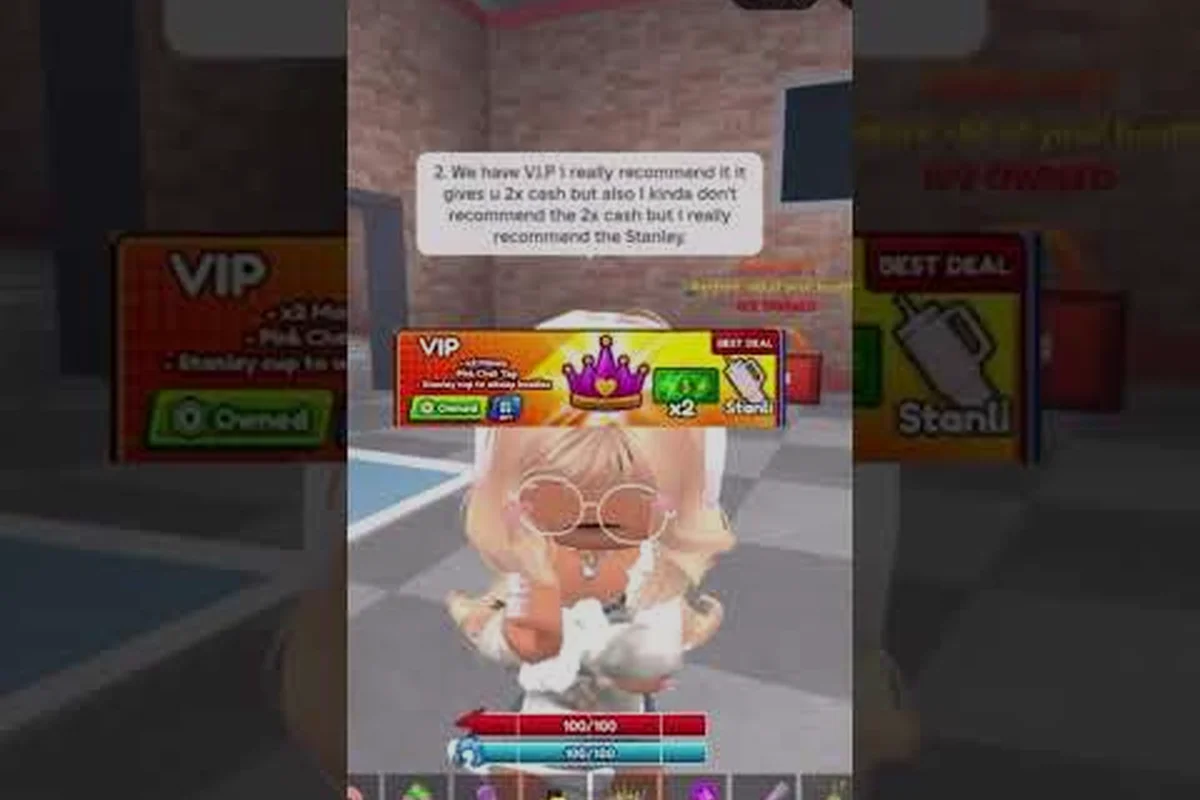
The Baddies cosmetics shop sits behind the avatar button in the top-right of the screen and stays open even mid-fight, so swapping looks does not require leaving the server. The store splits into three visible lanes: character cosmetics (wigs, face settings, glow pieces, accessories), weapon skins for tools such as the Spiked Bat and Stanley Cup, and a small "deals" shelf that rotates free or low-cost trials on weekends.
The cheapest meaningful buys all live in the accessories lane, because most of the cheap cosmetics in Baddies carry either a tag for direct Robux or a free-grind window tied to daily login streaks. According to the official Baddies game page, permanent cosmetics can also ship with mechanical effects — High Heels double stomp damage, Permanent Makeup blocks pepper spray, and Baddie Mask Anonymous hides both your name and the health bar above your head, which means even the discount shelf deserves a second look.
Cosmetic Categories at a Glance
| Lane | What it covers | Permanent effects | Typical price tier |
|---|---|---|---|
| Character cosmetics | Wigs, face, glow, accessories | Sometimes (High Heels, Mask Anonymous) | Free to mid-tier Robux |
| Weapon skins | Stanley Cup, Spiked Bat, Brass Knuckles, Purse | None on skin swap, base tool keeps stats | Mid to premium Robux |
| Deals / weekly | Rotating free trials, discounted glow sets | Variable | Free to cheap Robux |
| Gamepass cosmetics | Baddie Mask, Permanent Makeup, Dog Leash | Yes — strong utility | Premium Robux |
Free vs Paid Split
The shop hands out a daily freebie through the gacha spin, and almost every weekend pushes a small "try before you buy" cosmetic into the deals shelf. Paid cosmetics break into three practical tiers: cheap character pieces under 50 Robux, mid-tier weapon skins between 75 and 200 Robux, and the permanent-effect gamepasses that sit above 300 Robux. The full breakdown of pricing tiers, including how Robux prices map to USD on the current exchange, is documented in the broader Baddies how to customize avatar guide, which covers the same lanes from the editor side.
How to Change Weapon Skin and Equip Wraps
Swapping a weapon skin in Baddies takes three taps once you know where to look, and the swap survives across rounds because skins are tied to the tool, not the round. The only consistent stumbling block is opening the shop while still holding a downed weapon, which prevents the equip button from registering.
Step-by-Step: Change a Weapon Skin
-
Stand anywhere safe (the swap works inside the lobby, the ATM floor, or during a respawn timer).
-
Open the inventory from the avatar button in the top-right corner.
-
Tap the weapon, then tap the paint tab on the right side of the tool card.
-
Pick a skin from the wheel — the Stanley Cup alone ships with four wraps, and the Spiked Purse has at least three.
-
Confirm with the equip button, then close the inventory; the new skin appears in your hand on the next attack animation.
Common Skin-Swap Issues
| Symptom | Likely cause | Fix |
|---|---|---|
| Equip button greyed out | Currently downed or mid-stomp | Wait for the recovery animation, then re-open |
| Old skin still showing | Inventory cached the pre-purchase look | Toggle the weapon off, then re-equip |
| Skin unlocked but invisible | Gamepass not active on this account | Re-purchase or restore via Roblox inventory |
| Weapon skin missing after a crash | Server-side cache loss on join | Re-equip once, then the skin persists |
A community video on How To Equip Purse In Baddies by How to Everything walks through the same equip flow on the Spiked Purse and confirms the inventory-side paint tab is the only reliable route. If the button still refuses to register after a full client restart, the fix almost always lives in the avatar editor rather than the shop itself.
Baddies Item Skins List: What Ships With Each Tool
The Baddies item skins list is smaller than most players expect, because the developer keeps the rotation tight on purpose: every tool ships with three to five real skins, and the rest of the catalog is color variants counted as separate items. Knowing which tools have which skins saves Robux on duplicates, especially when two wraps look nearly identical in the lobby but one is bound to a different base tool.
Current Skins by Tool
| Tool | Default skin | Alt skins | Standout variant |
|---|---|---|---|
| Stanley Cup | Silver | Gold, Rose Gold, Black | Rose Gold — best contrast in dark lobbies |
| Spiked Bat | Brown wood | Black, Blood, Neon | Neon — readable at long range |
| Spiked Purse | Pink | Black, Leopard, White | Leopard — pairs with the Emo look |
| Brass Knuckles | Chrome | Gold, Rose | Gold — matches the High Heels glow |
| Fish Slap | Default blue | Gold, Glow | Glow — visible during stomp animations |
| Pepper Spray | Red can | Black, Pink | Pink — matches the Preppy palette |
The full canonical tool list, including each weapon's damage and range numbers, lives in the Baddies weapon damage breakdown, which is the cleanest reference for matching a skin to a tool's actual combat role.
Baddies Avatar Reset Fix and Cheap Cosmetic Fixes
The infamous Baddies avatar reset glitch wipes your custom look back to the default Roblox avatar the moment you respawn, and it almost always traces back to one of three causes: a missing gamepass on a fresh alt account, a corrupted slot in the avatar editor, or a server cache that dropped your last save. The cheap cosmetics in Baddies tied to permanent gamepasses (such as High Heels and Permanent Makeup) survive resets, while purely visual pieces without a gamepass revert unless saved inside the editor's "favorite" slot.
Reset Causes and the Right Fix for Each
| Cause | Symptom | Fix | Cost |
|---|---|---|---|
| Missing gamepass | Permanent cosmetic gone after respawn | Restore via Roblox inventory | Free if owned, full price if not |
| Editor slot not saved | Wig or accessory reverts | Re-save in the avatar editor's saved looks | Free |
| Server cache drop | Look gone only on one server | Rejoin, then re-equip | Free |
| New account on alt | No cosmetics at all | Use free daily spin, grind streak | Free to cheap |
| Glitched face setting | Face freezes on a default | Toggle face off, then re-apply | Free |
Cheap Cosmetic Upgrades Worth the Robux
Five cosmetic upgrades under 100 Robux each consistently punch above their price tier, and every one of them doubles as either a reset-safe piece or a visible glow that helps teammates spot you during teamers. The cheap cosmetics in Baddies that meet the "under 100 Robux + permanent effect" bar are the High Heels base tier, the Wig Lock gamepass during a sale, the basic glow trail, the dog collar accessory, and the leopard Spiked Purse skin. None of these depend on the weekly rotation, so they stay buyable whenever the shop reopens.
A more detailed reset walkthrough, including how to file a bug report that Roblox support actually reads, is captured in the Baddies private server and settings guide, which covers the same edit flow on private servers where reset glitches tend to reproduce fastest.
Assembling a Standout Look on a Budget
A baddies best avatar is rarely the most expensive one in the server, because the meta look pairs two permanent-effect pieces (High Heels + Permanent Makeup) with a cheap wig and a free glow trail, then layers a paid weapon skin on top for the screenshot moments. The cheapest path to a recognizable baddie character design starts with the free daily spins, adds a 25-Robux wig from the deals shelf, then layers the High Heels gamepass as the long-term anchor.
Cheap-to-Complete Look by Budget
| Budget | What you can build | What you skip |
|---|---|---|
| 0 Robux | Default avatar + free wig + daily spin glow | Permanent pieces, weapon skins |
| 50 Robux | Above + leopard Spiked Purse skin | High Heels, Mask Anonymous |
| 150 Robux | Above + High Heels gamepass | Permanent Makeup, premium wigs |
| 400 Robux | Above + Permanent Makeup + one weapon skin | Stanley Cup gold, Baddie Mask |
Aesthetic Combos That Read in the Lobby
Three character design formulas dominate the current Baddies meta look, and each one scales up or down depending on budget. The Emo formula pairs a black wig, the leopard Spiked Purse, and a glow trail; the Preppy formula leans on Permanent Makeup, a high ponytail wig, and the pink Pepper Spray skin; the Clean Baddie formula uses High Heels, a face setting, and the Rose Gold Stanley Cup. Mixing two of these formulas usually clashes, but a single accent piece from a second formula (such as a glow trail on a Preppy base) lands cleanly.
The full mood-board for each formula, plus a step-by-step on opening the avatar editor and saving looks for later reuse, is documented in the Baddies best avatar and aesthetic look guide, which covers the same combos from the saved-looks side.
Putting It All Together: A Smart Cosmetic Run
A clean first session in the cosmetics shop follows a fixed order: claim the daily free spin, open the deals shelf, buy the cheapest meaningful piece (usually a wig or glow), then save the look in the editor before touching any gamepass. Skipping the save step is the single most common reason a baddies character design reverts mid-session, and it costs nothing to fix. By the third session, most players have enough pieces to mix two of the three aesthetic formulas, and the shop usually has a new rotation waiting.
The cheapest mechanical upgrade worth the Robux remains the High Heels gamepass, because the doubled stomp damage carries over to every loadout and survives respawns, which makes it the one piece that pays for itself in fewer than fifty stomps. Pair it with a saved look in the avatar editor, a single weapon skin you actually like, and one of the three aesthetic formulas above, and the resulting baddies best avatar holds up in both screenshots and live fights without burning through the Robux balance.
Frequently Asked Questions
What is the cheapest cosmetic that actually does something in Baddies?
The cheapest cosmetic with a real mechanical effect is the base High Heels, which doubles stomp damage and persists through respawns. According to community testing, it costs less than the lowest-tier weapon skin and pays for itself in under fifty stomps during normal play, making it the best first buy for any baddies best avatar build.
How do I change a weapon skin in Baddies?
Open the inventory from the avatar button in the top-right, tap the weapon, then tap the paint tab on the right side of the tool card and pick a wrap. The skin persists across rounds and respawns, so you only need to set it once per tool, and the official Baddies game page confirms the inventory-side paint tab is the only reliable route.
Why does my Baddies avatar keep resetting after every round?
The reset almost always traces to one of three causes: a missing gamepass, an unsaved editor slot, or a server cache drop. Permanent-effect cosmetics such as High Heels and Permanent Makeup survive resets, but purely visual pieces revert unless saved inside the editor's favorite slot, so always re-save after a fresh look.
Where can I find the full Baddies item skins list?
The current Baddies item skins list ships three to five real skins per tool, with the Stanley Cup, Spiked Bat, and Spiked Purse offering the widest selection. A community-maintained breakdown is mirrored on the Baddies wiki and reflected in the Baddies weapon damage reference, which lists every wrap currently buyable in the shop.
Can I build a strong baddies character design on a zero-Robux budget?
Yes, because the free daily spin plus the weekend deals shelf can cover a wig, a glow trail, and a face setting, which is enough for a recognizable baddies character design. The look will not include permanent-effect pieces, so it resets more often, but it stays competitive in the lobby and avoids spending Robux on trial cosmetics.